Log In

GTCO Roll Up Digitizer RUD


 GTCO and PICO Forums


Go to this url to discuss and post questions to support and other users on this site.

Enter forum here!


pico logo

5 Year Warranty
Terms and condition for Five Year Warranty.
First two year warranty provided in North America by Interworld. Three year additional warranty is provided by Pico Technology (in the UK), Shipping and handling for warranty related purposes after year two are not included.

This warranty applies to certain scopes and is effective from Oct 1, 2009. All Automotive scopes have a two year warranty.
 
 
Interworld Celebrating 33 Years
   

TC-08 Serial Thermocouple Recorder

pico logo
*New* TC-08-USB Information available at this link!


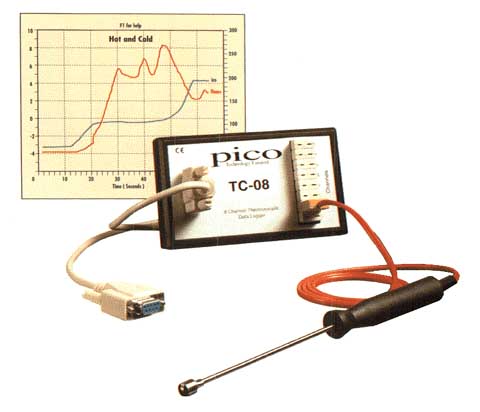
TC-08

Pico Technology supplies a range of easy to use PC based temperature and humidity logging products. The units simply plug into the serial (or USB via the adapter) port of a PC (desktop or laptop) and require no power supply.

New TC-08USB Information available at this link!


Used with PicoLog data logging software, they replace costly chart recorders and complicated ‘plug in’ data acquisition boards. These PC based temperature data loggers allow your computer to display and record temperatures. PicoLog can collect data at rates from one sample per second to once per hour and upto 1 million samples can be recorded. Data can be displayed in graphical or spreadsheet format, both during and after data collection.

TC-08 Thermocouple to PC Data Logger

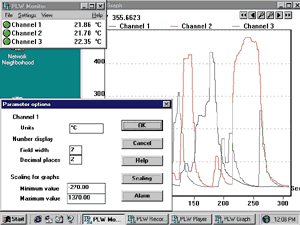
Features TC-08 Screen
  • Measures and records up to 8 thermocouples
  • Works with all popular thermocouple types
  • Wide temperature range (-270°C to 1800°C)
  • Built in cold junction compensation
  • High resolution and accuracy
  • No power supply required
Supplied with PicoLog data logging software


The TC-08 is an 8 channel themocouple to PC interface, it can measure the full range of temperatures from -270°C to 1800°C and works with all popular types (B,E,J,K,N,R,S,T). There is also a 60mV range which can be used for other types of sensor.

The TC-08 is very easy to use - just plug into the serial (or USB via the adapter) port of your computer, connect a thermocouple and you are ready to measure temperatures. See also our advice on choosing and using thermocouples

Resolution and Thermocouple Types Return to top of page


Thermocouple type Overall range 0.1°C resolution 0.025°C resolution
B 100-1800 1030-1800 -
E -270-790 -240-  790 -140-790
J -210-1050 -210-1050 -120-1050
K 270-1300 -220-1300 -  20-1150
N -260-1300 -210-1300 -340-1260
R -50-1760 -333-1760 -
S -50-1760 -250-1760 -
T -270-400 -230-  400 -


Type K Thermocouples Return to top of page

Interworld offers standard length type K thermocouple probes: Other probes are available from specialist temperature measurement companies (e.g. Omega in the US) and electronics catalogues.

Upon request Interworld can also supply type J, K and T thermocouples up to 10m in length. These are exposed wire thermocouples, with a choice of a PTFE or fibreglass cable. Please contact Interworld for more information.

Type K Thermocouples Specifications

Probe TypeMaterialDimensionsTip Temperature
Exposed junction wire PTFE Ø1.5 x 1000mm -75 to 250 °C
Exposed junction wire Fibreglass Ø1.5 x 1000mm -60 to 250 °C
Air Steel Ø4.5 x 1300mm -50 to 250 °C
Penetration Steel Ø3.3 x 1300mm -50 to 250 °C
Contact Steel Ø85 x 1300mm -10 to 250 °C


 Your ALT-Text here


Technical Tip
Using multiple products on the same PC
 

It is possible to use more than one converter on a single PC and display all channels with the same copy of PicoLog. For example if you need sixteen channels of temperature measurement, use two eight channel TC-08s on the same PC. Different products can also be mixed on the same PC, for example a TH-03 could be used at the same time as an ADC-200.

Multiple-converter operation is available only in 'Real time continuous' mode. Each converter must have a separate port: you can use either standard serial/parallel ports or our USB adapters

To configure PicoLog to use multiple converters:

*       Choose File | New Settings
*       Check the ‘use multiple converters' box
*       Continue the set up process in the normal
         way


Return to top of page


USA Office

Tel:1.877.902.2979-1.425.223.4311
Fax:1.877.329.4324
Address: PO Box 1280,
145 Tyee Drive
Point Roberts, WA 98281
sales@interworldusa.com
support@interworldusa.com

Western Canada - Vancouver BC

Tel:1.800.663.6001 or 1.604.925.6150
Fax:1.604.925.6170
Address: 2454 Haywood Ave
West Vancouver, BC V7V 1Y1
sales@interworldna.com
support@interworldna.com

Eastern Canada - Markham, Ontario

Tel:1.800.465.0164 or 1.905.513.7027
Fax:1.905.513.7029
Address: 3555 14th Ave, Unit 12,
Markham, Ontario L3R 0H5
salestor@interworld.ca
support@interworld.ca